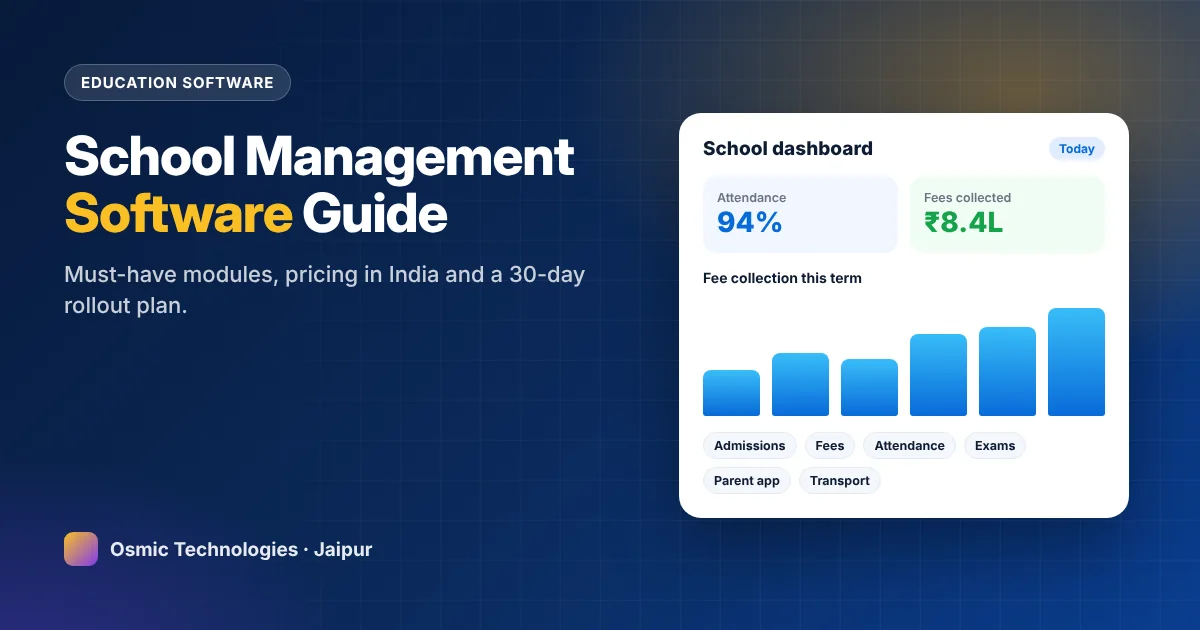
Ask any school administrator what eats their week and you’ll hear the same list: chasing fee payments, compiling attendance, preparing report cards, answering parent calls and reconciling registers that never quite match. Most of this work is repetitive, and all of it is easier with the right software.
This guide explains what school management software should include, how pricing works in India, how to choose between ready-made and custom systems, and a realistic 30-day plan to get your school live.
What school management software does
At its core, school management software (often called a school ERP) gives administrators, teachers, parents and students one shared system instead of registers, spreadsheets and scattered WhatsApp groups. Everyone sees the same, up-to-date information, and each role sees only what it should.
Must-have modules for Indian schools
- Admissions and student information: online enquiry and admission forms, documents, siblings and transfer certificates.
- Fee management: fee structures by class, concessions, instalments, late fees, online payment and automatic receipts. For most schools this module pays for the whole system.
- Attendance: class-wise daily attendance from a teacher’s phone, with automatic absence alerts to parents.
- Exams and report cards: marks entry, grading schemes (CBSE, RBSE, ICSE formats) and printable report cards.
- Timetable and homework: class schedules, substitutions and daily homework updates.
- Parent communication: notices, circulars, SMS, WhatsApp and app notifications.
- Staff and payroll: staff records, leave and salary processing.
- Transport: routes, stops, fees and, optionally, GPS tracking.
- Library, hostel and inventory for larger campuses.
What makes the difference between software that gets used and software that gets abandoned
Plenty of schools buy software and quietly go back to registers within a term. The reasons are predictable:
- Teacher-unfriendly screens. If marking attendance takes more than a minute on a phone, teachers won’t do it.
- No local language support for notices to parents.
- Report cards that don’t match the board’s format.
- Poor support during exam season, which is exactly when you need it most.
When you see a demo, ask a teacher, not the principal, to try marking attendance and entering marks.
Pricing: subscription or custom-built?
Subscription (SaaS) software is usually billed per student per year, often from around ₹100 to ₹600 depending on modules and support. It’s quick to start and needs no upfront investment, but costs grow with enrolment, and customisation is limited.
Custom-built software is designed around your school’s processes and branded as your own. Typical one-time costs range from ₹1.5 lakh to ₹6 lakh or more depending on modules, plus annual maintenance and hosting. It makes most sense for school groups, larger schools, or institutions with unusual fee structures, multiple branches or specific reporting needs.
A simple test: multiply the per-student subscription by your enrolment and by five years. If that number is well above the cost of a custom system plus maintenance, owning your software is worth considering.
A 30-day rollout plan
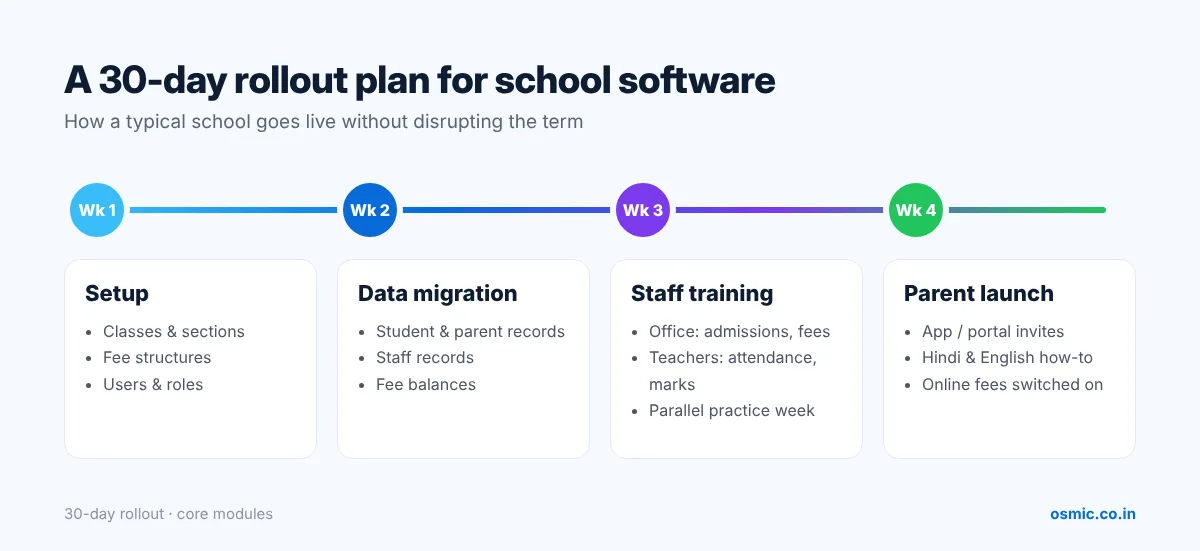
Week 1 – Setup
Configure the academic year, classes and sections, subjects, fee structures, concessions and user roles. Decide who owns the project inside the school, usually the administrator plus one tech-comfortable teacher.
Week 2 – Data migration
Import student and parent records, staff records and outstanding fee balances from existing spreadsheets. Clean the data as you go: duplicate students and wrong phone numbers cause most launch-day problems.
Week 3 – Staff training
Train office staff on admissions and fees, and teachers on attendance, homework and marks entry. Run a “practice week” where everything is done in the software and on paper in parallel.
Week 4 – Parent launch
Share the parent app or portal, send a short how-to video in Hindi and English, and switch fee reminders and online payment on. Announce one clear date after which fee receipts and notices will come only through the system.
Questions to ask before choosing a vendor
- Does it support our board’s report card format out of the box?
- Which payment gateways are integrated, and who pays the transaction charges?
- Is there a parent mobile app, and is it branded with our school name?
- Where is our data stored, and can we export all of it at any time?
- What is the support response time during exams and admissions?
- Is training included, and in which language?
Fee management: get this module right first
For most private schools, fee management is where software pays for itself. Look for:
- Class-wise fee structures with heads such as tuition, transport, activity and exam fees
- Sibling discounts, staff-ward concessions, scholarships and RTE students handled cleanly
- Instalments with due dates and automatic late-fee rules
- Online payment by UPI, cards and net banking, with instant receipts
- Automated reminders by SMS, WhatsApp and app notification before and after due dates
- Daily collection reports, defaulter lists and class-wise outstanding summaries
- Export or sync with your accounting software
The parent app: what parents actually use
Parents rarely explore every feature. They check attendance alerts, homework, notices, fee dues and results. Keep the app simple, fast on low-end phones and available in the language parents prefer. A clear home screen with those five items gets far more daily use than a feature-packed app nobody understands.
Data privacy and security
Schools hold sensitive data about children and families. With India’s Digital Personal Data Protection framework in place, ask every vendor:
- Where the data is hosted and how often it’s backed up
- How access is controlled by role (teachers shouldn’t see fee data; office staff shouldn’t edit marks)
- Whether all access is over HTTPS and passwords are stored securely
- How you can export or delete data if you change systems
- Whether they keep an audit log of who changed what
Hardware and connectivity
You don’t need a computer lab to run school software. Teachers can mark attendance on their own smartphones, and the office needs one or two computers with a reliable internet connection and a printer for receipts and report cards. If your campus has patchy connectivity, ask whether attendance can be marked offline and synced later.
The real return on investment
Schools usually see the biggest return in fee collection. Automated reminders and online payment shorten the time to collect fees and reduce outstanding dues. On top of that you get fewer hours spent on report cards, fewer parent phone calls and much cleaner records for audits and inspections.
Next step
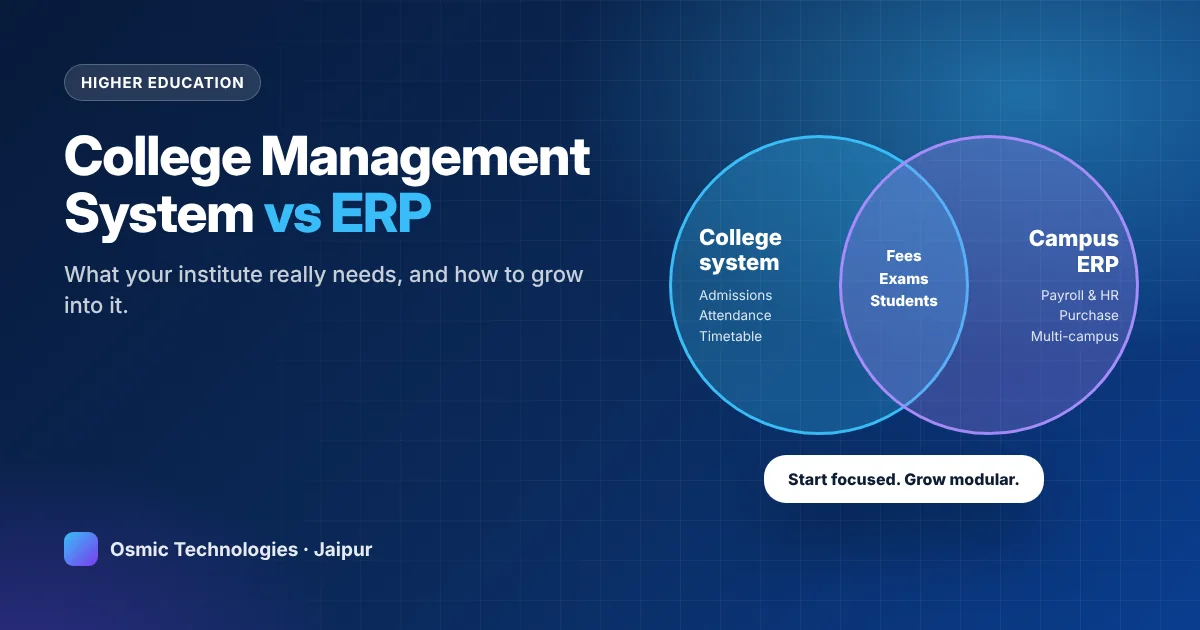
Whether you want a ready configuration or a system built around your school’s processes, our team can give you a live demo and a module-wise quote. Learn more about our school management software, or see our college management system for higher education.
See a live school software demo
Get a 20-minute walkthrough and a module-wise quote for your school.
Book a free demo →